
示例图来源:キャット@AIをマスターせよ · CC BY 4.0
心得与说明
怎么填变量:三个颜色变量换成你的品牌色,如"[深紫]、[薄荷绿]、[珊瑚粉]";[商务图标库] 和 [演示文稿素材] 描述用途。想要其他主题的图标,把 5 行内容替换成你的清单,例如教育主题写"书本、毕业帽、黑板、铅笔……",保持每行 7 个即可。
示例图是白底上整齐排列的扁平图标:开会、柱状图、折线图、投影屏、笔记本、看板、灯泡、靶心、握手、日历、文档、云、齿轮、放大镜、信封、视频会议、奖杯、拼图、对勾、饼图、组织架构、点赞、团队、盾牌、钱袋、计算器、时钟、文件夹、气泡、公文包、地球,统一的蓝绿橙配色。
常见问题:
- 图标数量或顺序不对:网格越大越容易错,可以分两次各生成 15~20 个。
- 风格不统一:强调"同一线宽、同一圆角、同一配色"。
- 要单独使用:生成后用切图工具按网格裁开,或要求"透明背景"后再抠图。
适合:PPT 和汇报文档配图、企业官网、产品说明书、培训课件。
英文原版
text
Goal: Create a clean vector icon set for business presentation illustrations, suitable for slide decks and documents.

Canvas: Wide 16:9 white background, evenly spaced grid layout with 40 discrete icons arranged in 5 rows and 8 columns. Use generous margins and consistent icon sizing.

Visual style: Flat modern corporate vector style with rounded shapes, minimal shading, crisp edges, and a friendly SaaS/business look. Use a limited palette of {argument name="primary blue" default="bright blue"}, {argument name="accent green" default="fresh green"}, {argument name="accent orange" default="vivid orange"}, dark navy outlines, light gray UI details, and occasional yellow. No text labels, no watermark, no realistic texture.

Icon contents: Include exactly 40 icons in this order, left to right by row:
Row 1: 1) three people meeting at a table with speech bubbles, 2) bar chart with upward growth arrow, 3) line graph with three colored points and rising arrow, 4) three vertical upward arrows in blue green orange, 5) presentation screen with pie chart and pointer, 6) laptop with dashboard cards, 7) tablet with colored dashboard blocks.
Row 2: 8) kanban board with three columns and colored task cards, 9) glowing light bulb idea icon, 10) target with arrow hitting bullseye, 11) handshake with blue and green sleeves, 12) monthly calendar grid with one orange date, 13) document page with blue folded corner and lines, 14) checklist document with green check marks.
Row 3: 15) cloud upload icon with upward arrow, 16) dark blue gear settings icon, 17) magnifying glass search icon, 18) blue envelope email icon, 19) video conference monitor with four participants, 20) gold trophy award icon, 21) four-piece puzzle in blue green orange.
Row 4: 22) green circle check mark, 23) pie chart in blue green orange, 24) organization chart with connected colored nodes, 25) thumbs-up approval icon, 26) team/group icon with three people, 27) bar chart with rising green arrow, 28) green shield with white check mark.
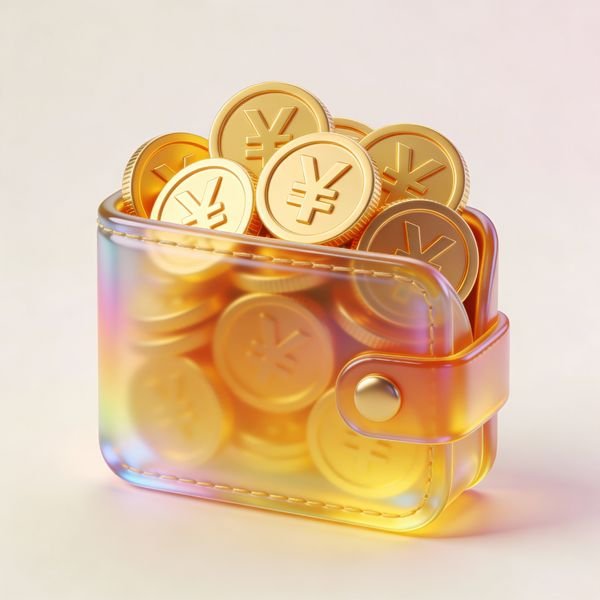
Row 5: 29) money bag with dollar sign and stacked coins, 30) calculator with orange key, 31) analog clock, 32) yellow file folder, 33) overlapping chat bubbles with ellipsis, 34) dark blue briefcase with yellow clasp, 35) blue globe wireframe.

Layout constraints: Maintain a balanced grid and consistent visual weight; leave open white space between icons; keep all icons centered in their cells; avoid adding captions or extra elements. The final image should feel like a reusable {argument name="asset type" default="business icon library"} for {argument name="use case" default="presentation materials"}.
改编自 キャット@AIをマスターせよ 发布、YouMind-OpenLab/awesome-gpt-image-2 收录的提示词,许可证 CC BY 4.0,本站已翻译并改写(修改内容见 changes);示例图来自同一条目。
同款作品
用这条提示词做出来的作品;原作者会因此获得积分
还没有同款,来做第一个。

0 条评论
还没有评论,来抢沙发~