
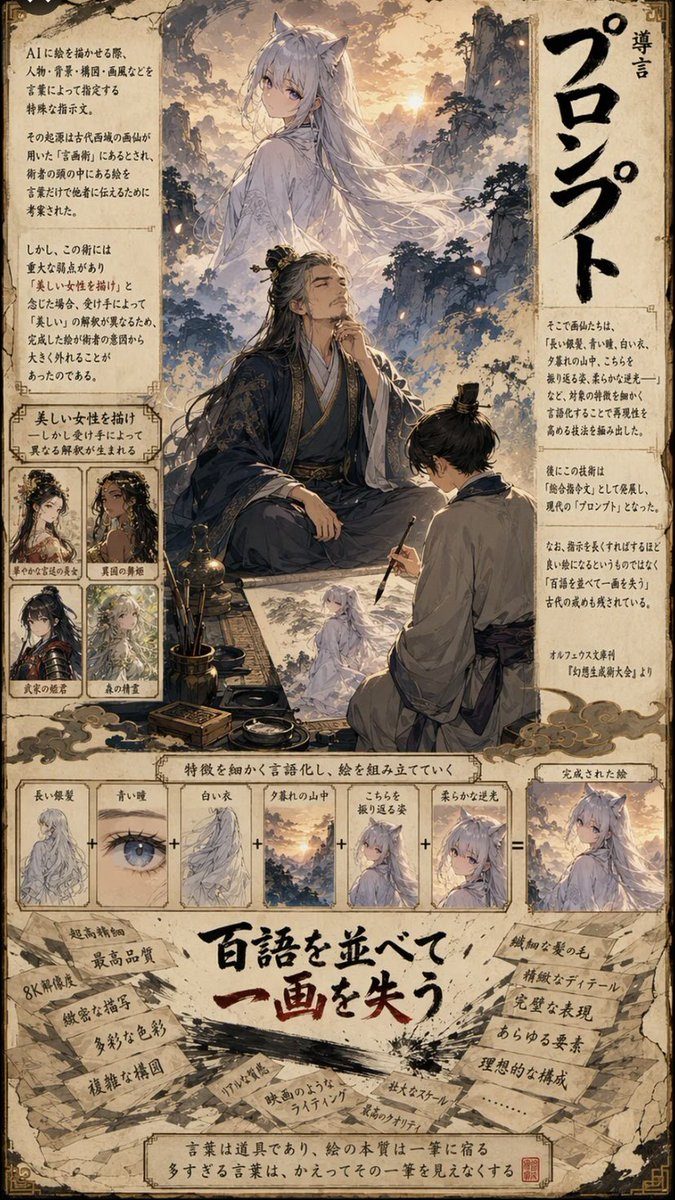
示例图来源:あきらパパ【生成AI活用エンジニア&3児のパパ】 · CC BY 4.0
心得与说明
怎么填变量:[主题] 写这一页 PPT 要讲的一件事;[画面要点] 写 3–5 个按顺序或按关系排列的对象,用箭头"→"表示顺序、用"vs"表示对比。示例图对应的是"日本古典文学"主题,用书本和竹简表现。
常见问题:
- 图中塞满文字:保留"不要写长段文字",标题和要点之后在 PPT 里自己加,排版更可控。
- 物件不准确(朝代、器物画错):AI 会想当然,历史、科学类内容请自己核对。
- 整套 PPT 风格不统一:每页都用同一句"优雅的哑光材质、柔和光线",并固定背景色,例如"浅米色背景"。
迭代:先让模型"只描述 3 种方案、不出图",你挑一个再让它生成,效果更可控。
英文原版
text
You are an information editor, diagram designer, and 3D art director.
- Compare 3 visual proposals matching the content, and adopt the most intuitive option.
- Explain using objects or materials specific to the subject. Use books, bamboo slips, or paper for classical literature; parts or assembly for manufacturing.
- Elegant matte materials, soft lighting, and natural depth. Use 3D representations to convey sequence, relationships, and changes.
改编自 あきらパパ【生成AI活用エンジニア&3児のパパ】 发布、YouMind-OpenLab/awesome-gpt-image-2 收录的提示词,许可证 CC BY 4.0,本站已翻译并改写(修改内容见 changes);示例图来自同一条目。
同款作品
用这条提示词做出来的作品;原作者会因此获得积分
还没有同款,来做第一个。



0 条评论
还没有评论,来抢沙发~